AI Gaming Accessory Photography & Background Generator for Gaming Brands
Aspect Ratio:
Select Background Prompt
Image Scale:
Controls how much of the canvas your image will occupy. Smaller percentages create more padding around your image.
Your content will remain private and only visible to you
Preview
Preview
Your image will appear here
Please Generate an image to display the preview
Product Background Generator
Put a product photo into a new AI-made scene, then download it for your store, listing or social post.
Overview
Upload a product photo. The tool cuts the product out, you place it on the canvas and pick one of the ready-made scenes, and the AI builds that scene around the product. Each scene is written to give the product a matching surface and a shadow underneath, so it does not look pasted on.
- •More than 100 ready-made scenes, from plain white and studio light boxes to marble, wood, nature and seasonal sets
- •15 frame shapes, including 1:1, 4:5, 9:16 and 16:9
- •Place, resize and zoom the cut-out product before you generate
- •Bulk mode: up to 10 photos in one run, each with its own scene and settings
Gaming accessory photography
Controllers, headsets, keyboards, mouse pads and stands are bought by shoppers who know exactly what they want, and who judge a product by its look as much as its specs. Many accessories have lighting, textured grips or glossy plastic, which makes photography awkward. Decide whether to shoot with the lighting on or off, and keep a steady camera. A dark, simple backdrop often suits gaming gear, but a clean light one can show shape better. Upload the photo and pick the backdrop that fits your store's mood.
Tips
Decide how to handle RGB lighting
Lit accessories look exciting but can wash out detail. Take one shot with the lights on to show the effect and one with them off to show the true shape and surface.
Show compatibility information
Gamers ask which console or computer an item works with. Add an image listing supported platforms and connections, and photograph the plugs and ports clearly.
Photograph every included part
Cables, dongles, extra caps and manuals should appear in one layout picture. It confirms the box contents and prevents complaints about missing items. Number each part in the listing text.
Features
Automatic cut-out
The background of your photo is removed for you, so the product is ready to place on a new scene.
Scene picker
Choose a scene from the thumbnails. Each one is a written scene the AI builds around your product, with a surface and a shadow under it.
Placement and scale
In Advanced mode, drag, resize and zoom the product on the canvas. In Easy mode, set the image scale in 10% steps.
Bulk mode
Add up to 10 photos in one run. Each card has its own scene, scale and frame shape.
How It Works
Upload your product
Click or drag a photo in. The background is removed automatically.
Place it
Pick a frame shape, then set the size and position of the product.
Pick a scene
Choose one of the ready-made scenes from the thumbnails.
Generate and download
The AI builds the scene around your product. Download the result from the preview.
Before and after examples
Two product photos before and after a new background: a cluttered desk photo turned into a clean white packshot, and a plain backdrop turned into a lifestyle scene.
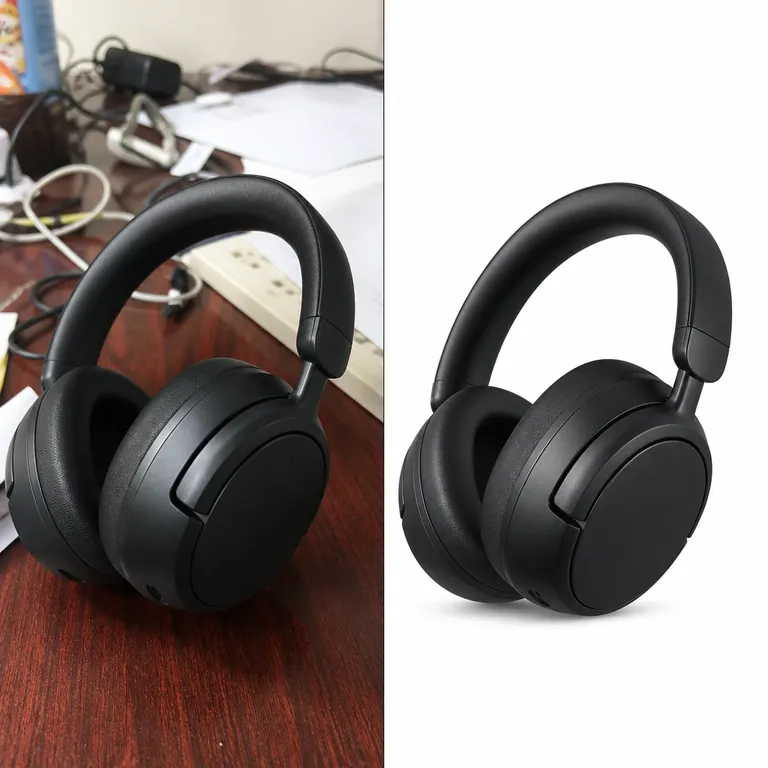
Cluttered desk photo → white ecommerce packshot
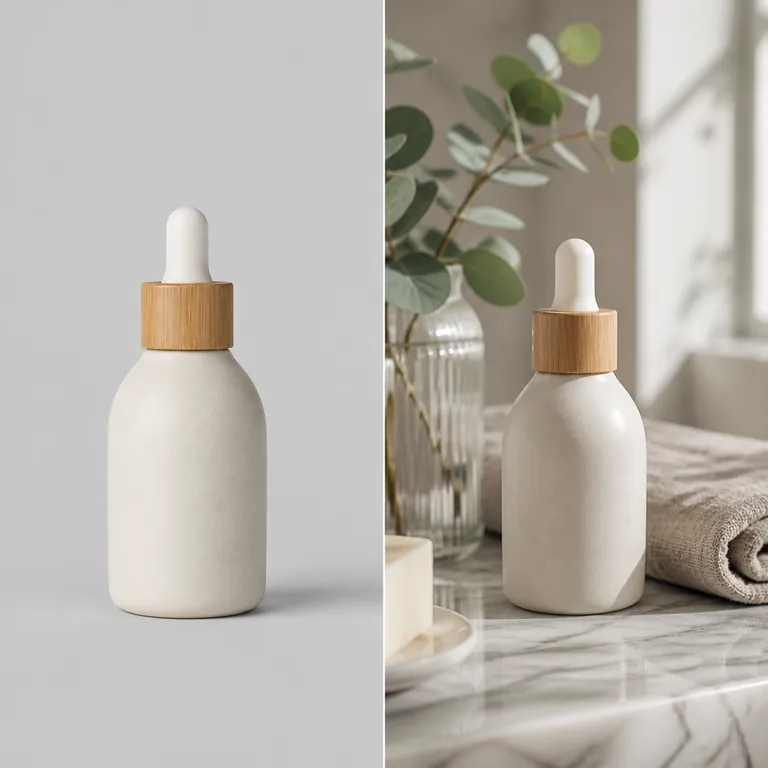
Plain backdrop → lifestyle bathroom scene
Use Cases
Store and marketplace listings
Give a set of products the same backdrop so the catalog looks consistent.
Key Benefits:
- •Plain white and light box scenes for main images
- •One scene reused across a whole range
- •No studio or reshoot needed for a new backdrop
Seasonal and campaign images
Put the same product into autumn, winter or holiday scenes for a sale or a launch.
Key Benefits:
- •Seasonal and nature scenes in the picker
- •Keep your original photo, change only the scene
- •Make several versions from one upload
Social posts
Pick the frame shape for the place you post before you generate.
Key Benefits:
- •Square and 4:5 for feeds
- •9:16 for stories and reels
- •16:9 for banners and headers
Frequently Asked Questions
More product photography guides
The main product background generator, plus guides for similar products and stores.
- Product background generator
Put any product photo into a new AI-made scene: white, studio, marble, wood, nature or seasonal.
- Cocktail photography
Enhance your drink menu and social media with our AI background changer designed specifically for cocktails.
- Handbag photography
Market your handbags effectively with our AI background changer designed specifically for fashion accessories.
- Baby product photography
Build trust with parents through our AI background changer designed specifically for baby products.
- Skincare product photography
Elevate your skincare brand with our AI background changer designed specifically for beauty products.
- Sustainable product photography
Communicate your environmental values with our AI background changer designed for sustainable products.
- Electronic gadget photography
Increase sales of your tech products with our AI background changer designed for electronics.